IPTV Ontario: 7 Tips for Choosing the Right IPTV Service
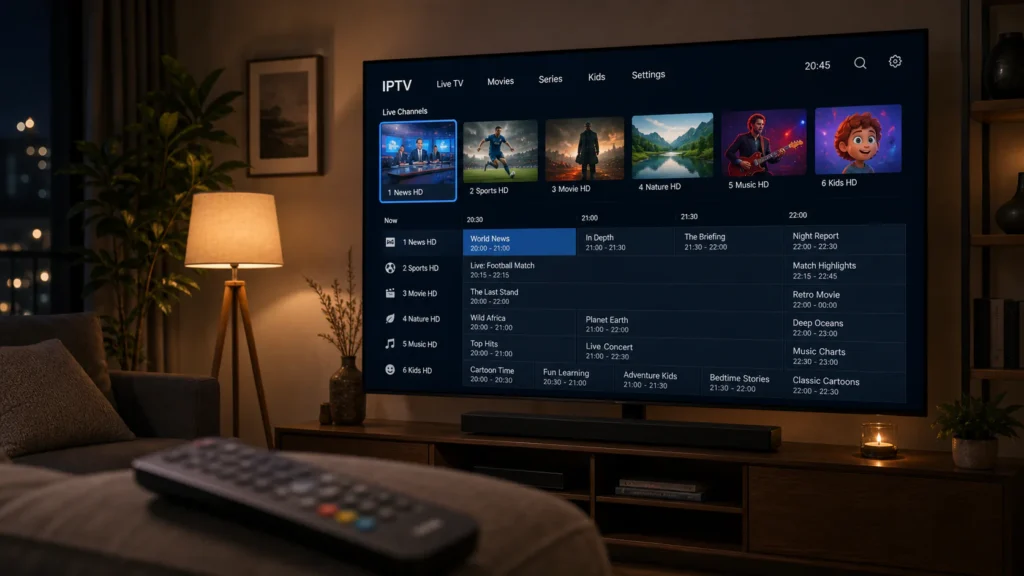
Looking for IPTV Ontario options? Internet Protocol Television (IPTV) delivers television content through an internet connection instead of relying exclusively on traditional cable or satellite services. For households across Ontario, it can offer a flexible way to watch live television, sports, movies and on-demand entertainment, depending on the provider and subscription.
Focus on streaming stability, compatible devices, transparent pricing, customer support, privacy protection and the provider's right to distribute its content. These factors matter more than simply choosing a service that advertises the largest channel list.
Whether you live in Toronto, Ottawa, Mississauga, Hamilton, London or another Ontario community, this guide explains the main features to compare before choosing an IPTV subscription.
1. What Is IPTV and How Does It Work in Ontario?
IPTV stands for Internet Protocol Television. It uses an internet connection to deliver video content to compatible devices. Depending on the service, viewers may access live channels, catch-up television, films and series through an app, a streaming device or a supported television.
Unlike traditional cable packages, IPTV services can differ significantly in their channel selection, interface, supported devices and subscription conditions. Some services are operated by established television companies, while others are independent platforms. Always verify that a provider is authorized to distribute the content it offers.
Live Television
Watch available live channels over an internet connection, subject to the service's content rights and package.
On-Demand Content
Access movies and series when available, without relying solely on a traditional broadcast schedule.
Flexible Devices
Some services support smart TVs, streaming sticks, mobile devices and computers.
2. Check the Streaming Quality Before Subscribing
Streaming quality is one of the most important factors when comparing IPTV Ontario services. A provider may advertise HD or 4K content, but your actual experience depends on several factors: your internet connection, Wi-Fi coverage, device capabilities, video source and the provider's streaming infrastructure.
How much internet speed do you need?
| Streaming quality | Suggested connection per stream | Best use |
|---|---|---|
| SD | About 3–5 Mbps | Basic viewing |
| HD | About 5–10 Mbps | Everyday television |
| 4K UHD | About 25 Mbps or more | Compatible 4K displays |
These are general estimates, not guarantees. Other people using the same connection, network congestion and Wi-Fi interference can affect performance. For the most reliable results, use a modern router, position it close to your television or connect your device through Ethernet when possible.
3. Make Sure Your Devices Are Compatible
Before paying for an IPTV subscription, check that the provider supports your preferred device and operating system. An app available on one television model may not work on another, even when both are described as smart TVs.
| Device | What to check |
|---|---|
| Samsung or LG Smart TV | App availability, TV model and operating system |
| Amazon Fire TV | Supported app and installation requirements |
| Android TV / Google TV | App compatibility and official installation options |
| Android or iOS phone | Mobile app availability and supported OS version |
| Windows or Mac computer | Browser or desktop application support |
For additional setup guidance, visit our guide to IPTV on Smart TV. Confirm the provider's instructions before installing unfamiliar apps or sharing account details.
4. Compare Channels, Sports and On-Demand Libraries
Every IPTV provider has a different content offering. Instead of relying only on a headline channel count, make a list of the channels, language options, sports coverage and on-demand titles you actually want to watch.
- Confirm that your preferred Canadian and international channels are included.
- Check whether sports content is available in your region and under appropriate distribution rights.
- Review the languages and subtitles offered.
- Ask how frequently channel availability and on-demand libraries are updated.
- Check whether the advertised content is included in the price or requires an additional package.
Remember that a large advertised catalogue does not guarantee that every channel will work consistently or that the provider is licensed to distribute it.
5. Review Pricing, Trials and Subscription Terms
IPTV subscriptions can be billed monthly, quarterly or annually. Compare the total cost, renewal conditions and refund policy rather than focusing only on the introductory price.
Questions to ask before paying
- Is the full price displayed before checkout?
- Does the subscription renew automatically?
- Is a free trial available, and what limitations apply?
- Are refunds available, and what conditions apply?
- How many simultaneous streams are permitted?
- Is customer support available if activation fails?
Read the terms carefully and keep a copy of the payment confirmation. Be cautious of providers that promise unlimited access to every premium channel at an unusually low price without explaining their content rights or service conditions.
6. Choose a Reliable IPTV Provider
Reliability includes more than picture quality. A trustworthy provider should clearly identify its business, explain its subscription terms, protect customer information and provide support when problems occur.
Before making a decision, look for transparent contact information, clear cancellation procedures, realistic service claims and a secure payment process. Search for independent reviews, but remember that online reviews can be incomplete, outdated or manipulated.
For official Canadian broadcasting information, consult the Canadian Radio-television and Telecommunications Commission (CRTC). You can also explore our overview of what to look for in an IPTV service.
7. Improve Your IPTV Experience at Home
Even a capable service can buffer when your home network is overloaded. A few practical adjustments can help you get more consistent playback.
- Run a speed test near the device you use for streaming.
- Use Ethernet where practical, especially for a stationary television.
- Move your router away from obstructions and sources of interference.
- Pause large downloads on other devices if your connection is congested.
- Keep your device software and legitimate streaming apps updated.
- Contact your internet provider if the connection regularly drops.
If you are comparing package options, our IPTV subscription guide for Canada provides another starting point for evaluating service features and subscription considerations.
IPTV Ontario: Frequently Asked Questions
What is IPTV Ontario?
IPTV Ontario refers to internet-based television services used by viewers in Ontario, Canada. Available channels, features and prices depend on the provider and its distribution rights.
Can I watch IPTV on my Smart TV in Ontario?
Many IPTV platforms support selected smart TVs, but compatibility varies by model, operating system and application. Check the provider's supported-device list before subscribing.
What internet speed is best for IPTV?
As a general guideline, 5–10 Mbps may be sufficient for one HD stream, while 4K streaming commonly needs around 25 Mbps or more. Actual requirements vary by stream and household usage.
Is IPTV legal in Ontario?
IPTV technology itself is a method of delivering television over the internet. Whether a particular service is lawful depends on factors including its authorization to distribute the content. Choose providers that have the appropriate rights.
Should I choose a monthly or yearly IPTV plan?
A monthly plan can limit your initial commitment while you assess reliability and support. Before selecting a longer plan, review renewal terms, refund conditions and the provider's reputation.
Why does my IPTV stream keep buffering?
Buffering can result from weak Wi-Fi, network congestion, insufficient bandwidth, device limitations or problems with the streaming provider. Test your connection and device before contacting support.
Final Thoughts on IPTV Ontario
Choosing IPTV in Ontario is easier when you compare the factors that affect everyday viewing: authorized content, streaming quality, device compatibility, transparent pricing and responsive customer support.
Take time to review the terms, verify the provider and test your home network before committing to a long subscription. For more Canadian streaming guidance, explore our articles on IPTV subscriptions in Canada, Smart TV compatibility and choosing an IPTV service.
Information in this guide is general and educational. Channel availability, device support, service terms and applicable rights should always be confirmed directly with the provider.